/ 07
NOISE
Desktop app · designer toolkit
Over a hundred designer tools in one program: colour, type, print, PDF, grids, generators and image processing. Works 100% offline, in a dark Linear-style interface.
- Role
- Concept / Product / UX / UI / Built with AI
- Tools
- Tauri 2 · Rust · React 19 · TypeScript · Vite · Tailwind CSS 4 · SQLite · WebGL2
- Year
- 2026
- Reading
- 2 min
[ 01 ]
Challenge_
Designers rely on dozens of small online tools: a colour converter here, a bleed calculator there, a pattern generator somewhere else. Each looks different, needs the internet and knows nothing about the palettes and fonts in your project.
[ 02 ]
Audience_
Graphic designers and studios working with colour, print and PDFs who want their tools at hand — even without the internet.
[ 03 ]
Overview_
NOISE is a desktop toolkit hub for graphic designers: 108 tools in seven labs — instead of dozens of browser tabs.
- 01Contrast checked against WCAG 2.2 and APCA at once.
- 02One click adjusts the text colour to the AA or AAA threshold.
- 03Seven labs, with the tool count of each.
- 04Export (Ctrl+E) or save to the shared Library (Ctrl+S).
What's inside
- 01
Palette and Typography
Colour conversion, WCAG and APCA contrast, a palette generator and type tools.
- 02
Print Studio and PDF Lab
Bleed, imposition and PDF preflight.
- 03
Generative
Modular poster, op-art and terrain contour generators — with sliders and a seed.
- 04
Image Lab
Dithering, ASCII from photos, photo geometry and background removal.
- 05
100% offline
Fonts, profiles and models are built in, and data stays local in SQLite.
- 06
Shared Library
Export any result (Ctrl+E) or save it to the Library (Ctrl+S); the generators use the saved palettes and fonts.
[ 04 ]
Process_
01Decision
One tool registry
each tool is a folder with a manifest, picked up automatically — 108 tools in the same shell, with ⌘K, shortcuts and one way to export.
02Decision
Heavy lifting in Rust
PDF rendering and analysis (PDFium), CMYK via LittleCMS, image conversion, vectorising and background removal with BiRefNet on ONNX Runtime — all local.
03Decision
A WebGL2 effects studio
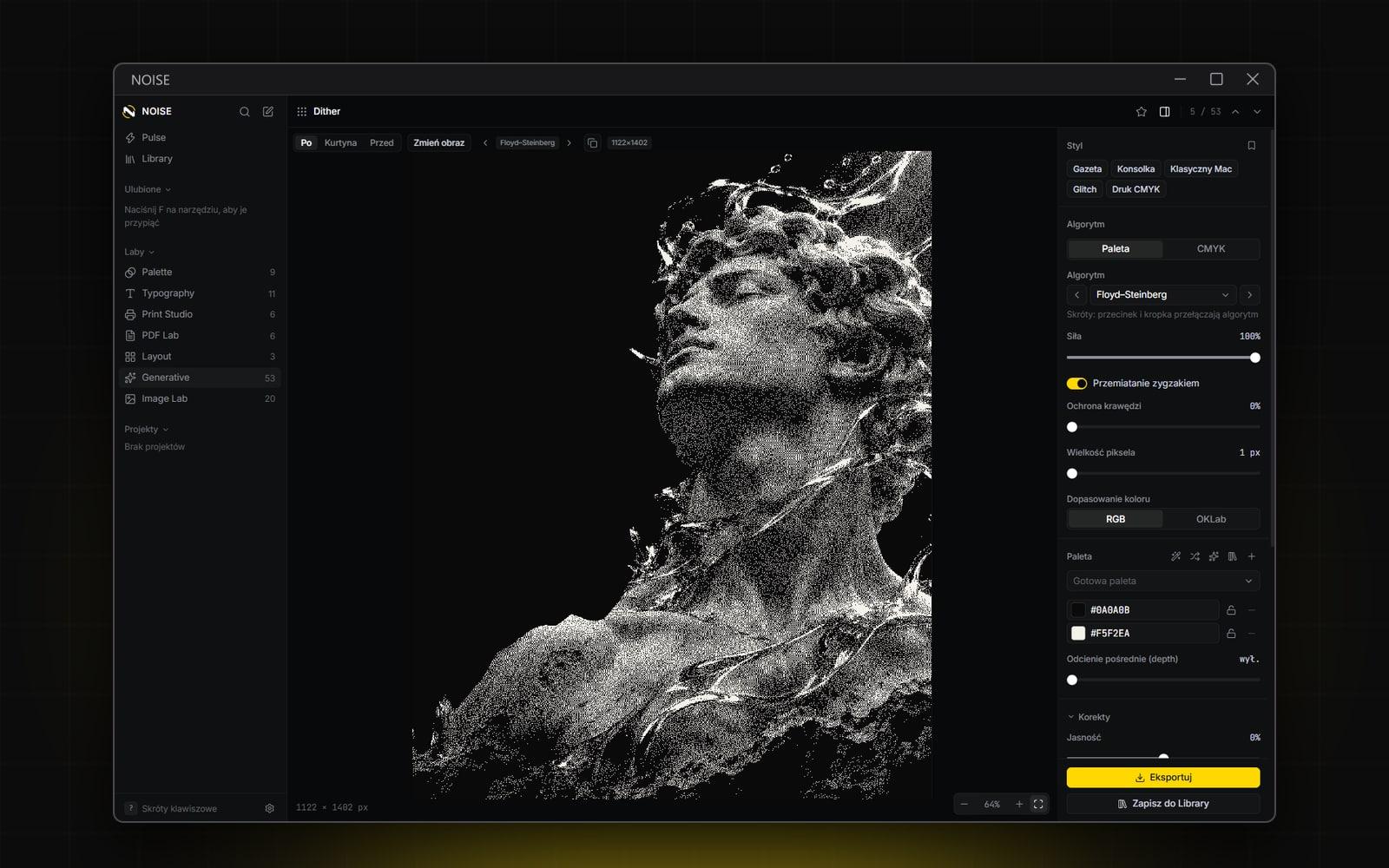
130 effects in a layer stack with blending and masks, plus 90 presets; dithering with a dozen error-diffusion algorithms, CMYK halftone and SVG export.
04Decision
MIT / Apache / BSD / OFL licences only
a script blocks anything else, and the NSIS installer is ready for sale with offline licences (Ed25519).
[ 05 ]
Gallery_
01 — Dither Studio — Floyd–Steinberg on a photo 02 — Geometry from a photo — contours and nodes 03 — Modular poster generator 04 — Op-art — waves driven by sliders and a seed 05 — Terrain contours 06 — Palette generator 07 — WCAG 2.2 and APCA contrast 08 — Print imposition 09 — ASCII from a photo 10 — Pulse — home screen and the seven labs
[ 06 ]
Outcome_
A working Windows app with an installer: 7 labs, 108 tools, 84 SVG patterns, 91 built-in fonts and a 130-effect studio — in one window, with no network connection.
[ 07 ]
Details_
Tech & tools
- Tauri 2
- Rust
- React 19
- TypeScript
- Vite
- Tailwind CSS 4
- SQLite
- WebGL2
Tauri 2 (Rust + WebView2), React 19, TypeScript, Vite, Tailwind CSS 4, Zustand, TanStack Router, SQLite + FTS5, Color.js, fontkit, pdf-lib, PDFium, LittleCMS, ONNX Runtime, WebGL2. Tool logic covered by tests (Vitest and cargo test).
Next project
Avocado